|
|---|
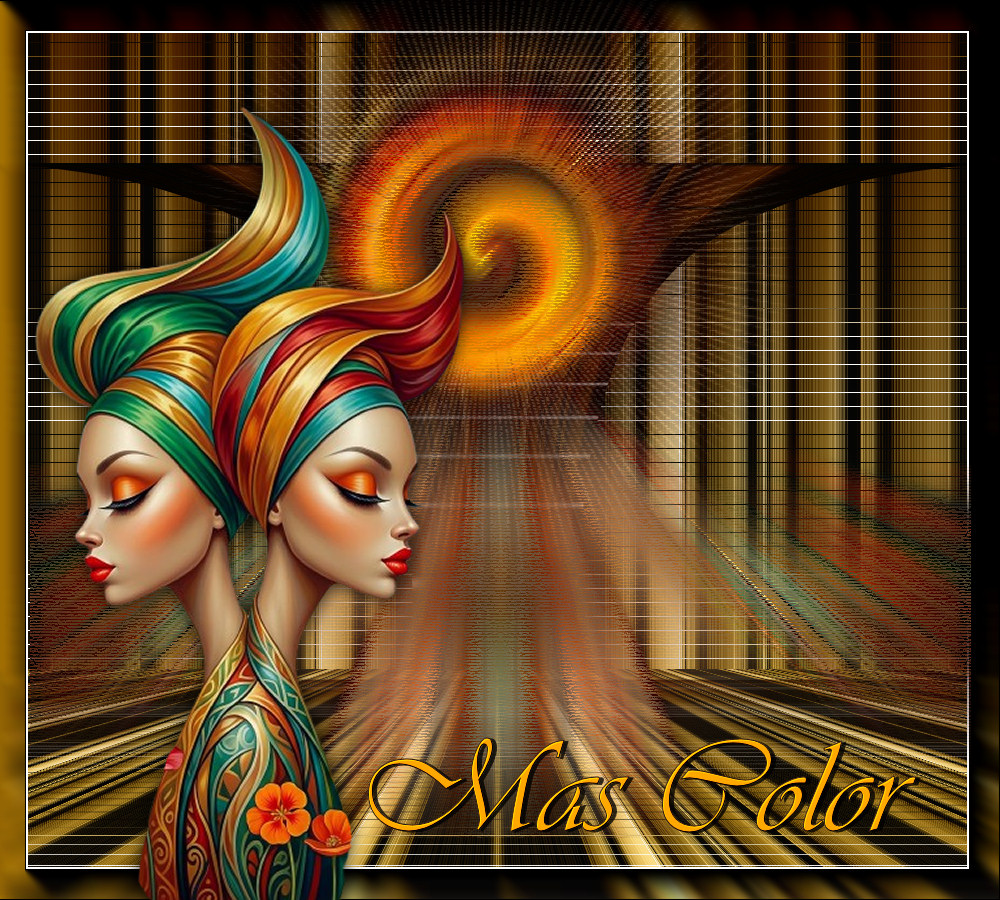
Tutorial Mas Color
 Material
Un Tube
Un Deco
Un Gradiente
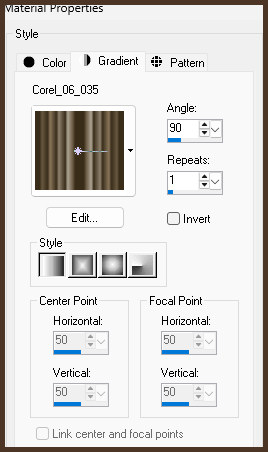
corel_06_035
Filtros
Usa la Flechita para Seguir el Tutorial

|
1.- Abrir un paño de 1000 X 900px.
2.- Guardar el gradiente en su carpeta de gradientes en Mis PSP Files
y preparamos el gradiente así y pintamos el paño:
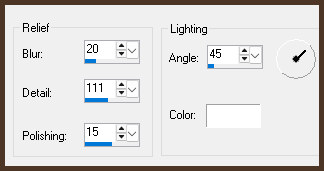
3.- Texture effects Polished stone
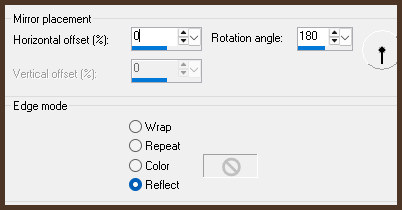
4.- Reflection effects / rotating mirror
5.- Filtro Nick Software / color efex-pro 3.0
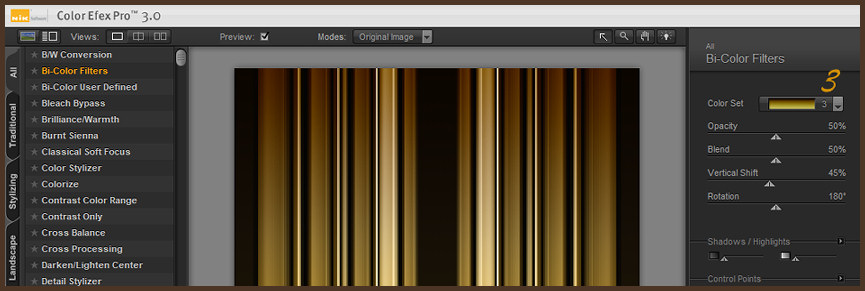
6.- Layers / duplicate
7.- Geometrics effects / perspective vertical con 90 transparente
8.- Reflection effects / feedback
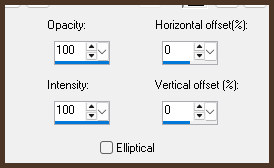
9.- Adjust / Brightness and contrast / clarify con 5
10.- Vamos a la raster 1 / Filtro L en K / Mayra
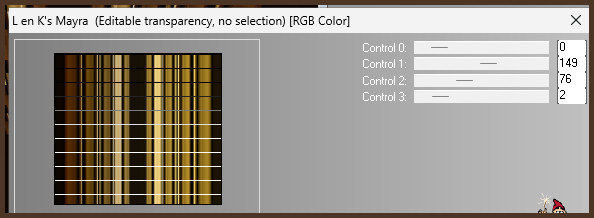
11.- Layers / duplicate
12.- Filtro Muras M / perspective tiling
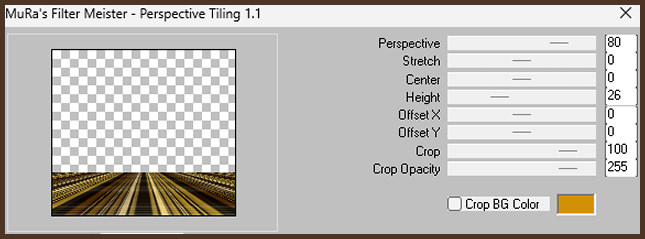
13.- Copy el Deco y paste as new layer / Layers / arrange move up
14.- Filtro Artistique / pastels
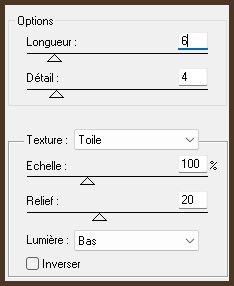
15.- Copy el tube y as new raster layer
16.- Image effects / offset
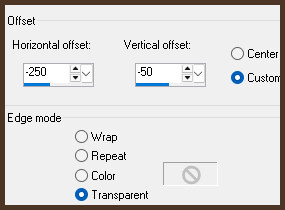
17.- Drop shadow con 0 0 80 30
18.- Layers / duplicate / Image / mirror
19.- Adjust / blur / radial blur
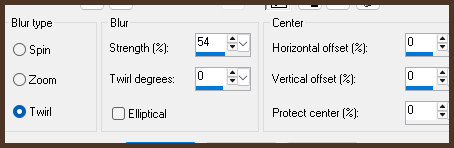
20.- Filtro Artistique / pastels
21.- Copy el tube del texto y paste as new layer y acomode
22.- Layers Merge visible
23.- Filtro AAA Frames / fotoframe
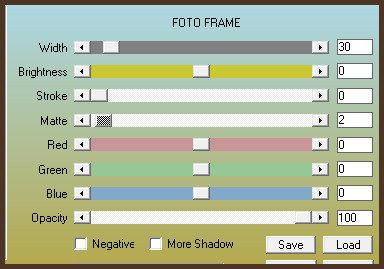
Hemos terminado y quiero decirles que en este tutorial he sentido la
energía
divina de Dios, ayer me di por vencida al no poder arregalr nada en el
PSP
pero hoy al encenderle, todo estaba arreglado como arte de magia.
Gracias Dios!!
Créditos:
Tutorial Mas Color
9 de mayo de 2026
Mexicali Baja California México
Tubes personales